
Karuselli partnerspace


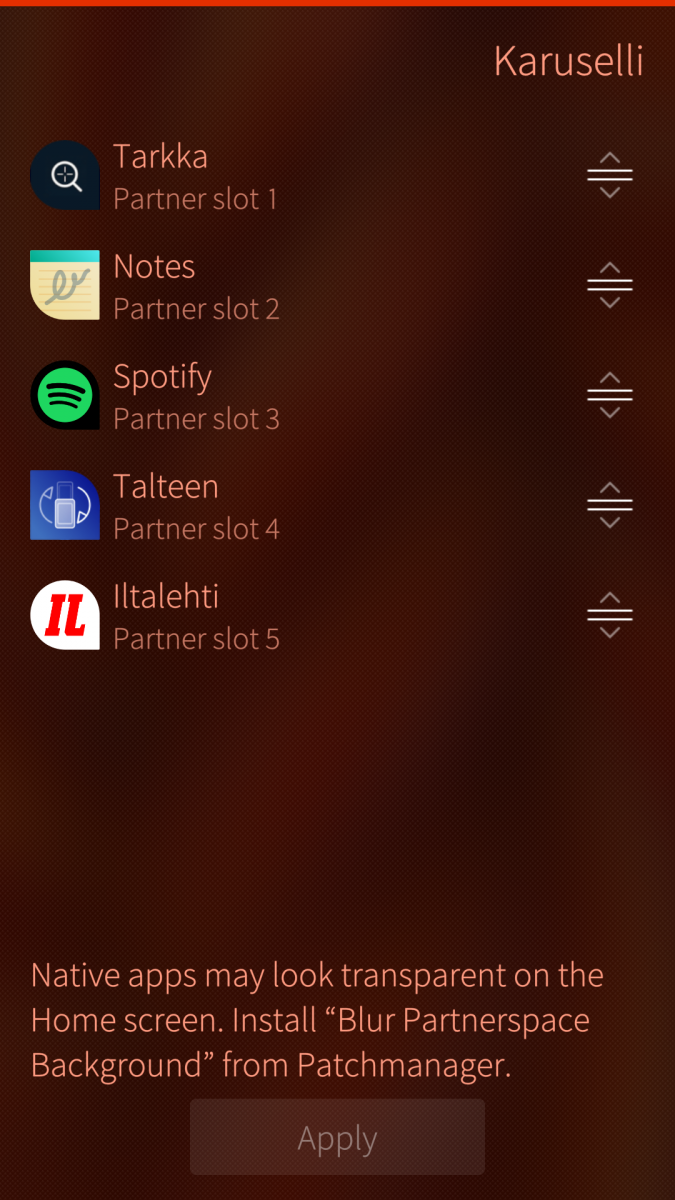
Karuselli lets you configure the partner space on Sailfish OS: the row of app shortcuts below the clock on the Home screen.
What you can do
- Turn the partner space on or off
- Choose up to five apps from your installed applications
- Reorder apps with drag and drop
- Remove apps with a remorse swipe
- Apply your layout with one tap
First-time setup
When you enable the partner space, restart the Home screen from the pulley menu once so the change takes effect. Editing the app list later does not require another restart.
Native apps
Some native apps may look transparent in the partner space. That is a Sailfish OS limitation. For a cleaner look, install the Patchmanager patch “Blur Partnerspace Background”.
Translate
Request a new language or contribute on the Transifex project page.
Support
If you want to support my work, you can buy me a cup of coffee.
Screenshots:
Category:
Application versions:
| Attachment | Size | Date |
|---|---|---|
 harbour-karuselli-0.1.0-16.aarch64.rpm harbour-karuselli-0.1.0-16.aarch64.rpm | 395.32 KB | 12/06/2026 - 18:25 |
| harbour-karuselli-0.1.0-16.armv7hl.rpm | 390.37 KB | 12/06/2026 - 18:25 |
| harbour-karuselli-0.1.0-16.i486.rpm | 396.75 KB | 12/06/2026 - 18:25 |
Changelog:
(none)
Comments
ahjolinna
Fri, 2026/06/12 - 22:33
Permalink
I'm glad that this was made. I was looking for partnerspace after returning to SailfishOS after so many years.
I was wondering if this could be moved to be part of the Settings app instead of being a separate app? It would just look nicer