
Chathud

Chathud - an interface to GPT-4ALL, Ollama and Noobhub.
Get started:
Test Basic Commands: Type in these specific commands to ensure functionality:
"set temperature to",
"set max tokens to",
"set model to",
"set api url to"
"switch to gpt4all",
"switch to ollama",
"change speaker to",(use this to change the model used by the TTS server)
"quit game",
"send to channel",
"send to user",
"set username to",
"set server to",
"ollama",
"gpt4all"
Key Features:
Autocompletion (press tab to autocomplete)
Chat to players using noobhub server (through another instance of chathud or the game spinny the runner which features chatHud)
Send queries to gpt4all and ollama (ollama or gpt4all server required)
Set up connection to ollama (or gpt4all):
- Set up url of ollama with 'set api url to [OllamaIp]/api/generate')
- Type ollama or gpt4all followed by your query
Hear the answers from gpt4all or ollama (only with a compatible TTS server such as 'coqui TTS' running on the local machine.
For now you can only configure the voice used by the TTS typing "change speaker to" followed by the wanted voice.
Set up connection to Noobhub (download and follow instructions from: https://github.com/Overtorment/NoobHub)
Noobhub is an OpenSource multiplayer and network messaging for CoronaSDK, Moai, Gideros, LÖVE & Defold. To start chatting with other players / users:
- Start the noobhub server (follow instructions form noobhub repository)
- set up the ip of the noobhub server for chathud with 'set server to [NoobhubIP]')
- set up your nick on chathud with "set username to", followed by your nick
* Update: Noobhub has been ported to lua / love2d and integrated in this app, you can still use the original Noobhub server from the link above or simply start it from the app by pulling the pull menu and selecting "start noobhub server"
By default all messages are sent to the main channel, to send messages to a channel or person type: "send to channel", or "send to user" followed by the nick of the user.
v0.5 update:
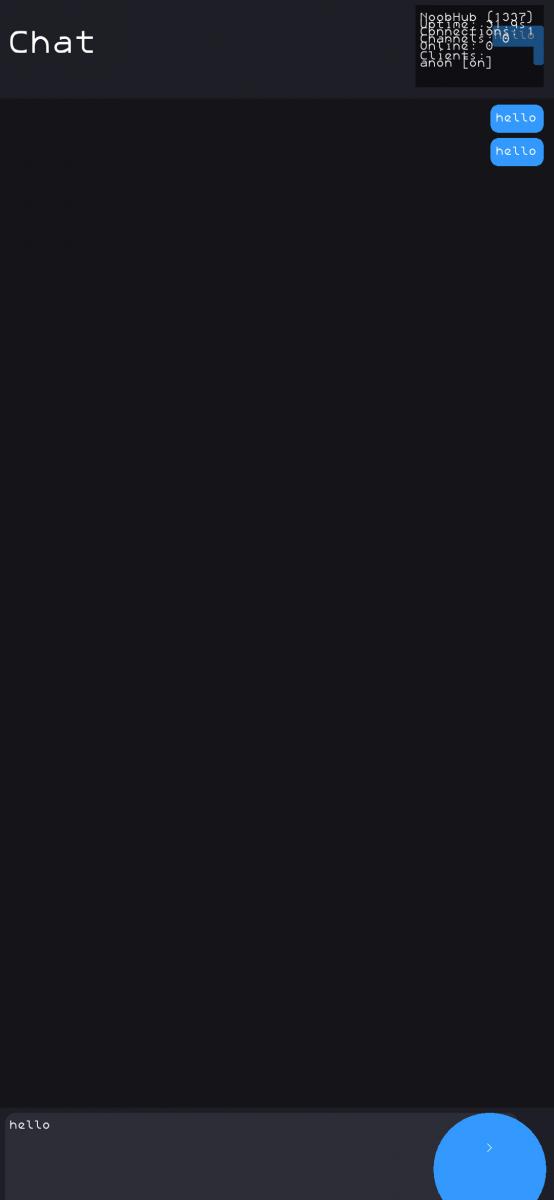
- Improved UI with a stronger focus on mobile usability and responsiveness
- Updated to the latest pull-menu system for smoother navigation and selection
- Scrolling and pull-menu interactions are now separated to prevent gesture conflicts
Important changes:
- The built-in keyboard has been deprecated — an external keyboard is now required to use the app
- To avoid input conflicts, the screen is divided into two interaction zones:
- Top area: reserved for the pull menu (swipe to open and navigate options)
- Bottom area: used for chat scrolling and message navigation
This separation ensures smoother interaction and prevents scrolling gestures from interfering with menu controls.
Screenshots:
Category:
Application versions:
| Attachment | Size | Date |
|---|---|---|
 chathud-0.3-1.noarch.rpm chathud-0.3-1.noarch.rpm | 2.06 MB | 10/04/2025 - 19:42 |
| chathud-0.3.2-1.noarch.rpm | 9.53 MB | 11/04/2025 - 16:59 |
| chathud-0.4-1.noarch.rpm | 10.71 MB | 12/04/2025 - 19:12 |
| chathud-0.4.2-1.noarch.rpm | 10.72 MB | 13/04/2025 - 13:06 |
| chathud-0.4.3-1.noarch.rpm | 10.72 MB | 14/04/2025 - 08:56 |
| chathud-0.5-1.noarch.rpm | 10.81 MB | 11/04/2026 - 22:56 |
Changelog:
v0.5 update:
- Improved UI with a stronger focus on mobile usability and responsiveness
- Updated to the latest pull-menu system for smoother navigation and selection
- Scrolling and pull-menu interactions are now separated to prevent gesture conflicts
Important changes:
- The built-in keyboard has been deprecated — an external keyboard is now required to use the app
- To avoid input conflicts, the screen is divided into two interaction zones:
- Top area: reserved for the pull menu (swipe to open and navigate options)
- Bottom area: used for chat scrolling and message navigation
This separation ensures smoother interaction and prevents scrolling gestures from interfering with menu controls.
Recent comments